
Beautiful video, audio, and playlist players for WordPress.
YouTube, Vimeo, MP4, MP3, playlists. Every layout and skin you need, with a single shortcode or Elementor widget.
🎁 Every Pro plan includes free developer time for your site, up to a $150 value. See how it works
Core Features
Everything a Media Player Needs
Video, audio, and playlists in one lightweight plugin. Free version ships fully working.
Video Player
Play YouTube, Vimeo, and MP4/HTML5 video with fullscreen, picture-in-picture, and custom poster images.
Audio Player
MP3, AAC, OGG, WAV, and M4A files, uploaded or streamed from any URL. Perfect for any audio content on your site.
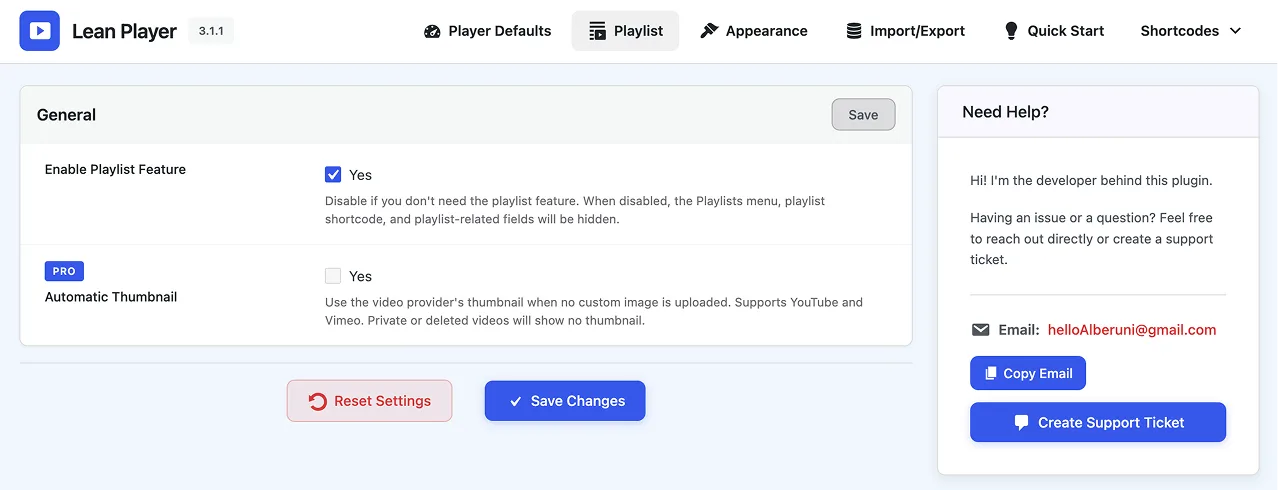
Playlist Support
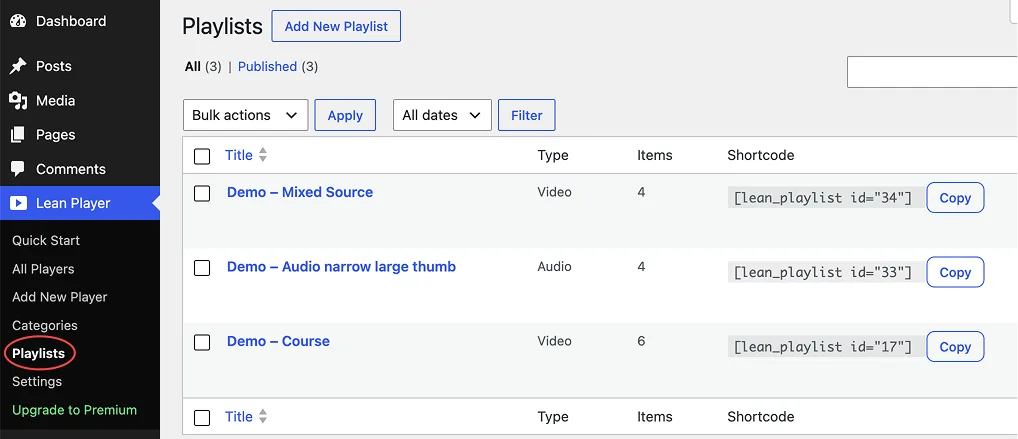
Build video or audio playlists that auto-play through. Panel on left, right, top, or bottom.
Timestamp Links
Link to any moment in a video or podcast from your post content. One click seeks and plays.
Works Everywhere
Elementor widgets plus a simple shortcode for Gutenberg, Classic Editor, and anywhere shortcodes work. Any theme.
Lightweight & Fast
Media Preload keeps heavy pages fast, and players reserve their space up front for zero layout shift.
Responsive
Looks right on every phone, tablet, and desktop. Keyboard shortcuts included for accessibility.
Brand Colors
Match player colors to your brand, show or hide controls, and pick light or dark playlist skins.
Screenshots
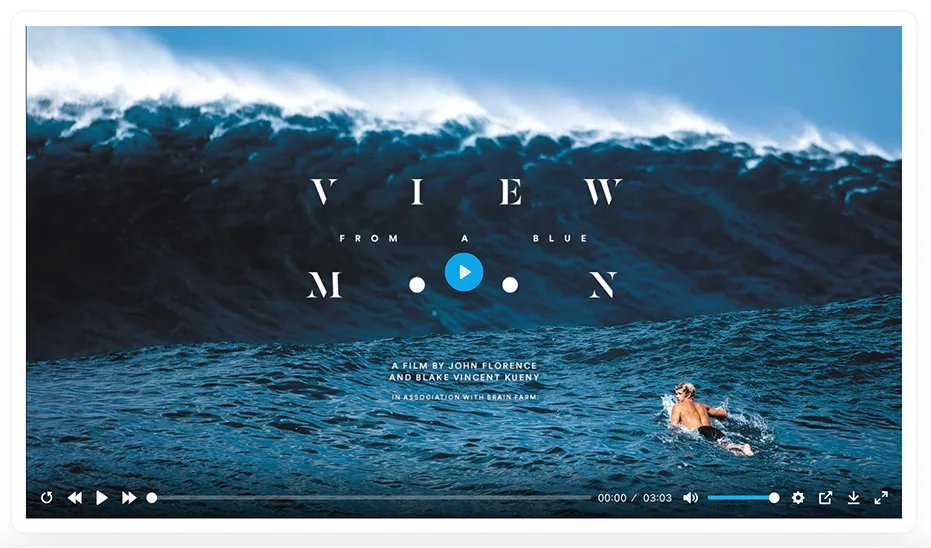
Video Player
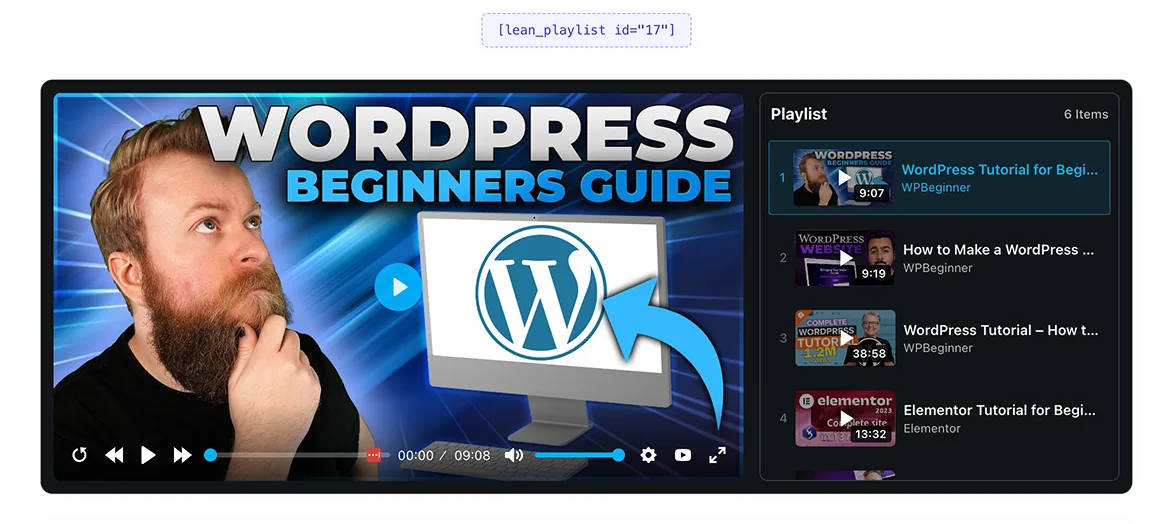
Video Playlist, Side Panel
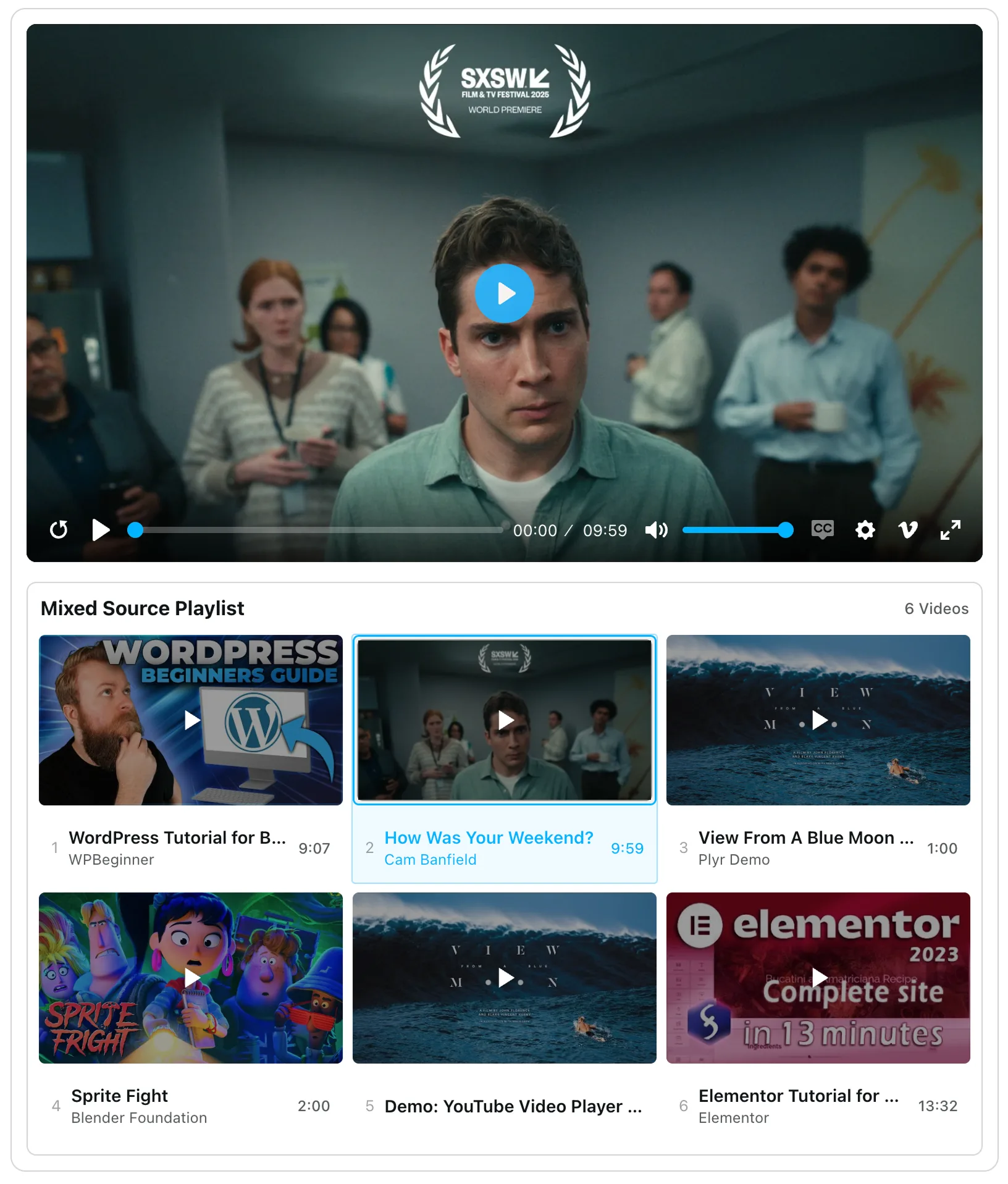
Video Playlist, Bottom Grid
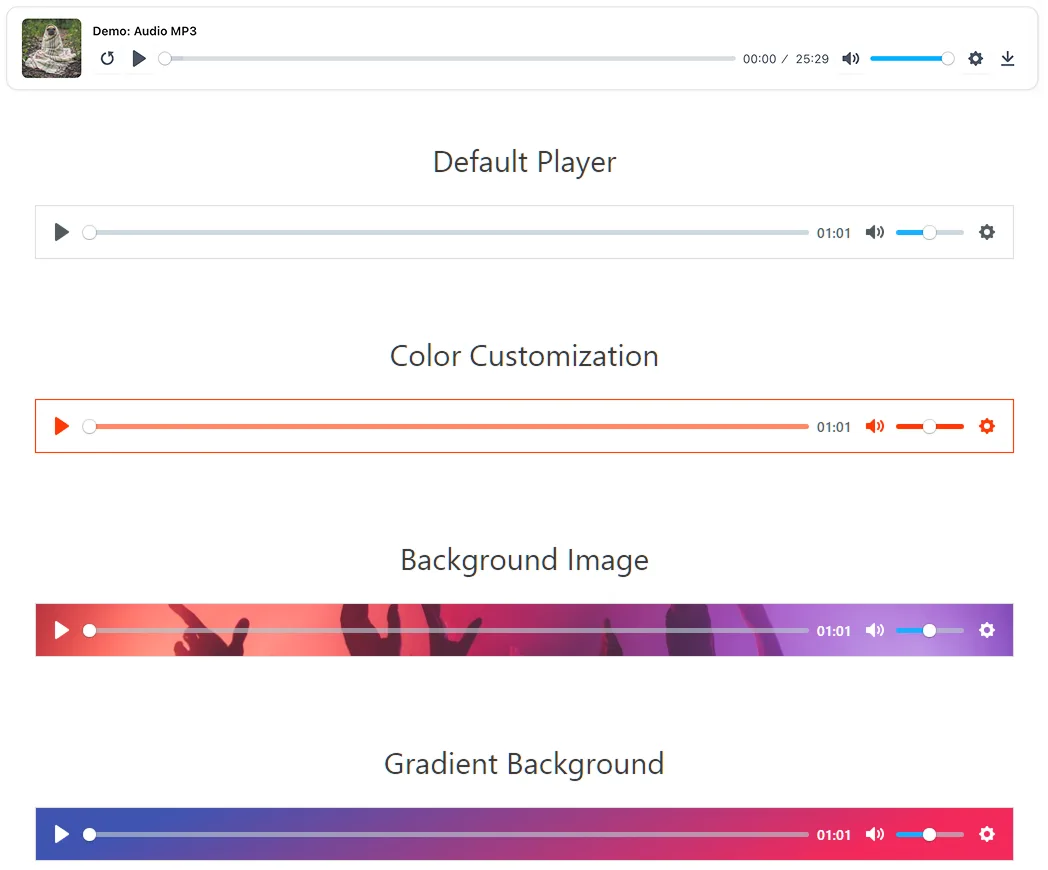
Audio Players, Styled
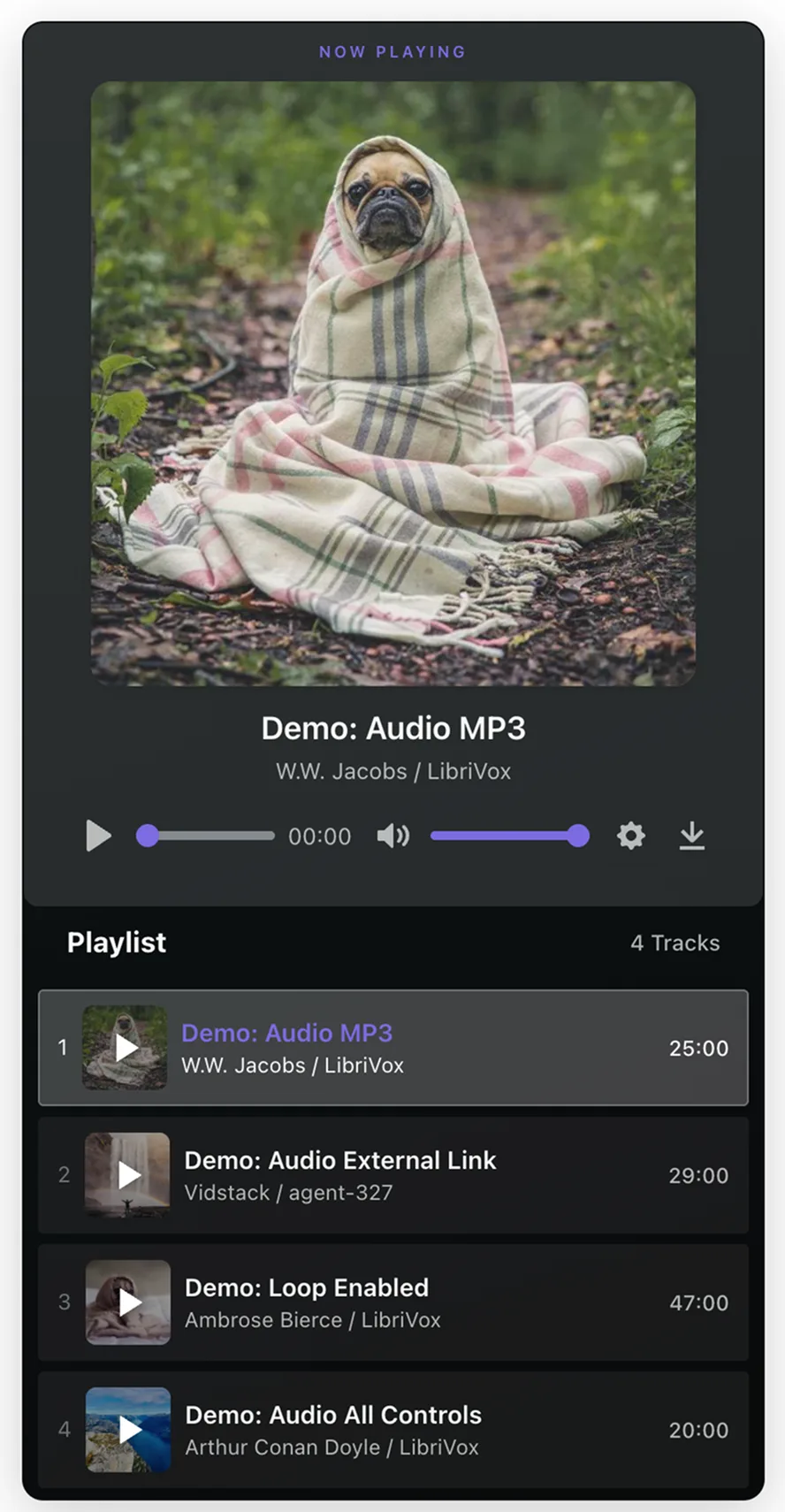
Audio Playlist, Now Playing
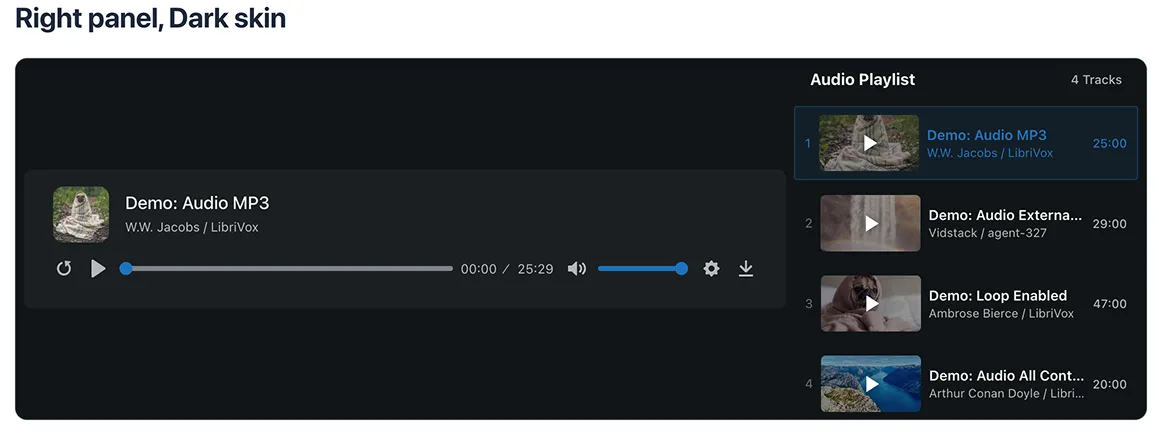
Audio Playlist, Dark Skin
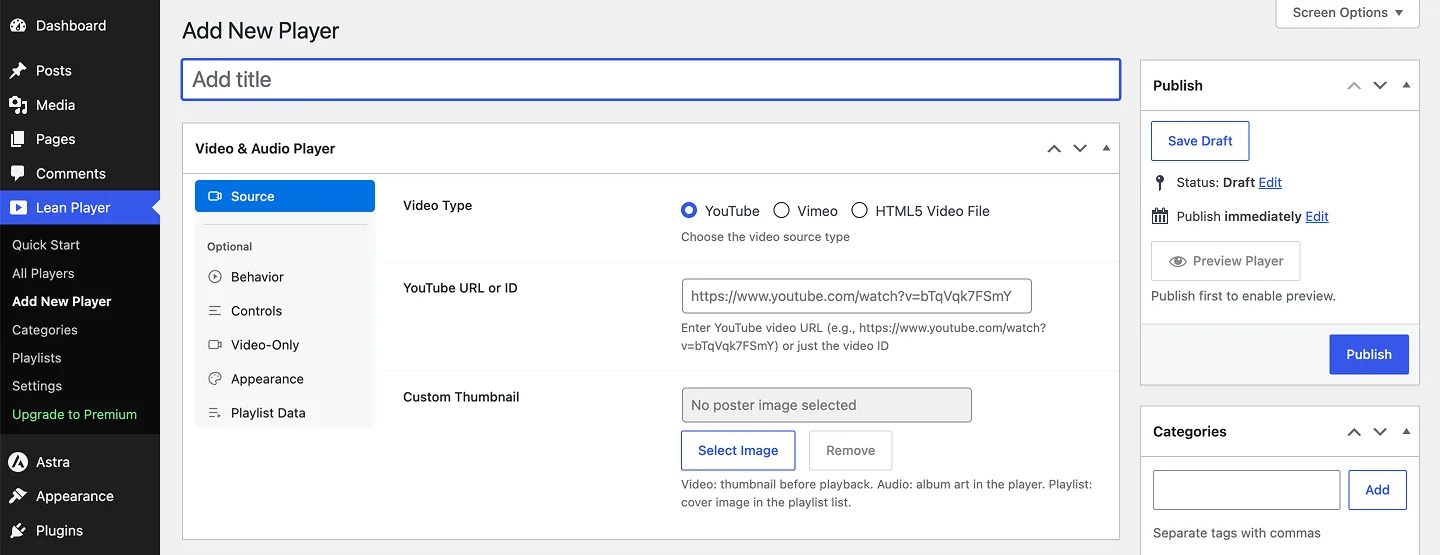
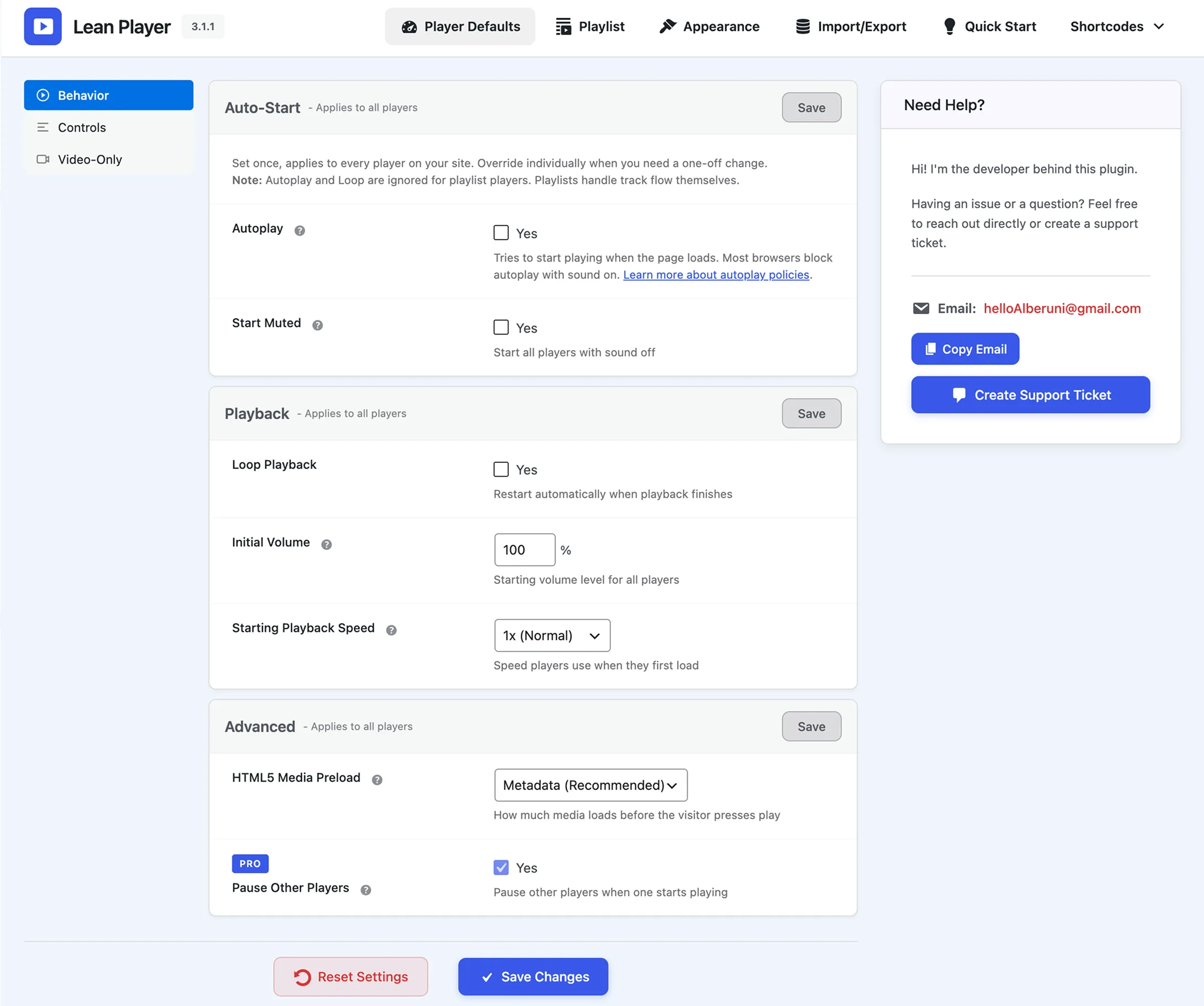
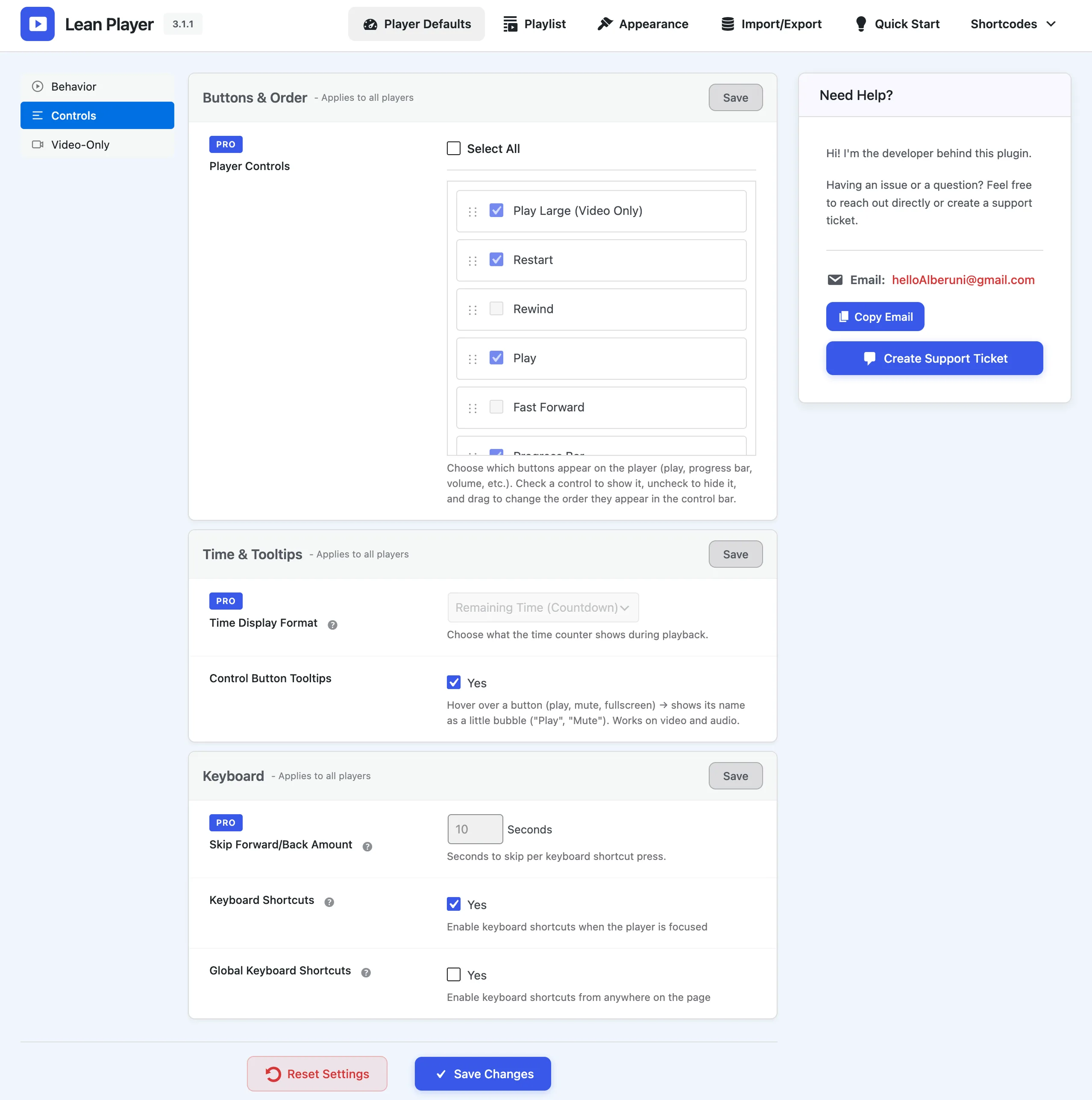
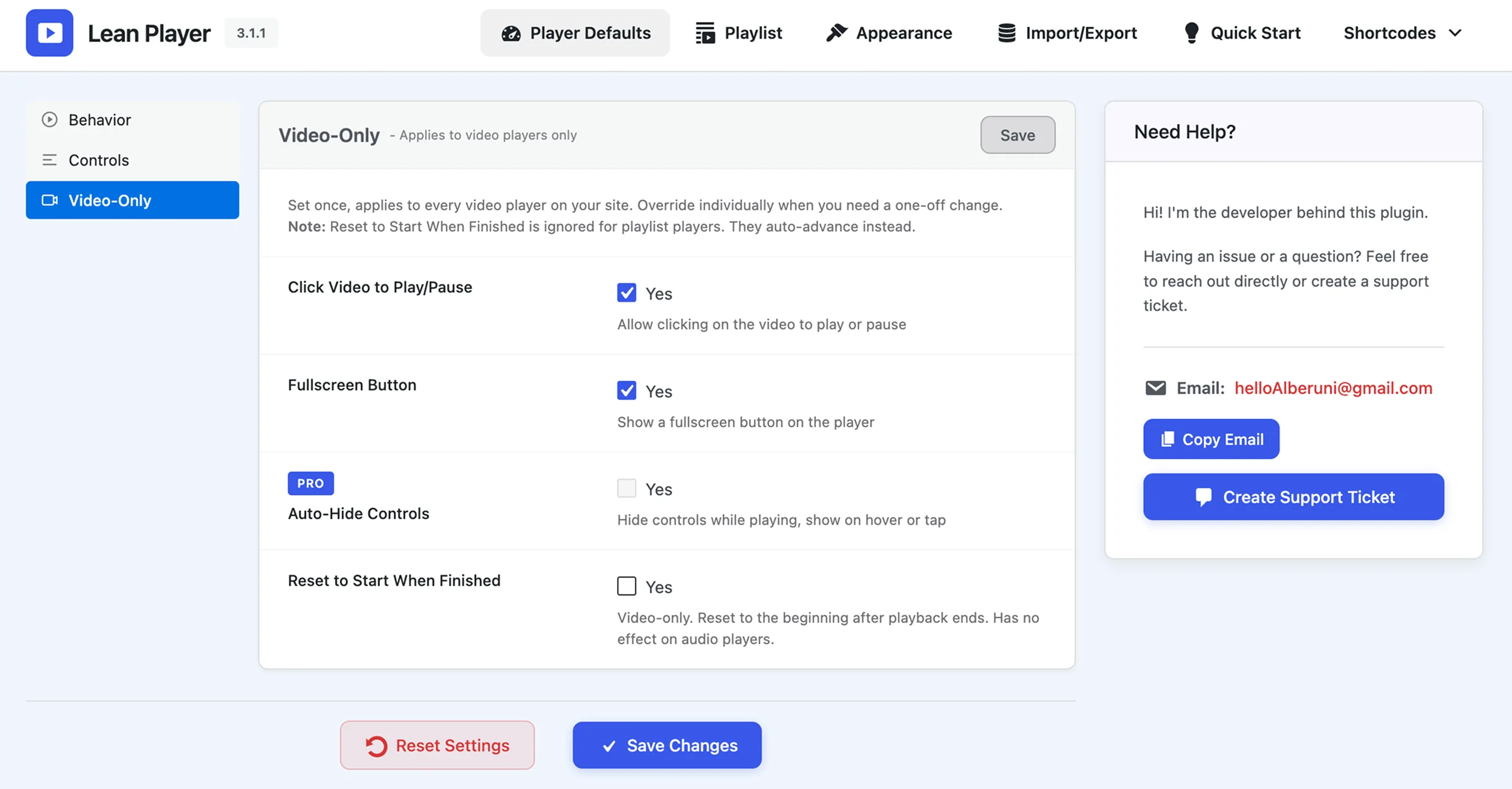
How It Works
Install & Activate
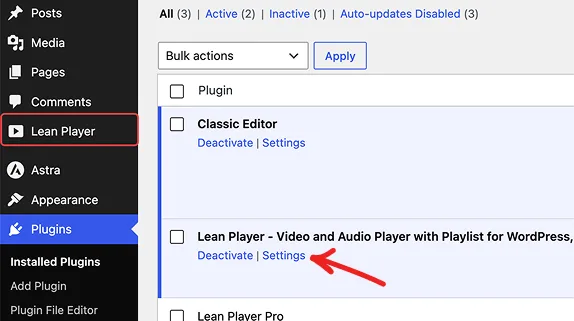
Install the free version from WordPress.org or download the pro version. Activate with one click and start creating players immediately.
Create Player or Playlist
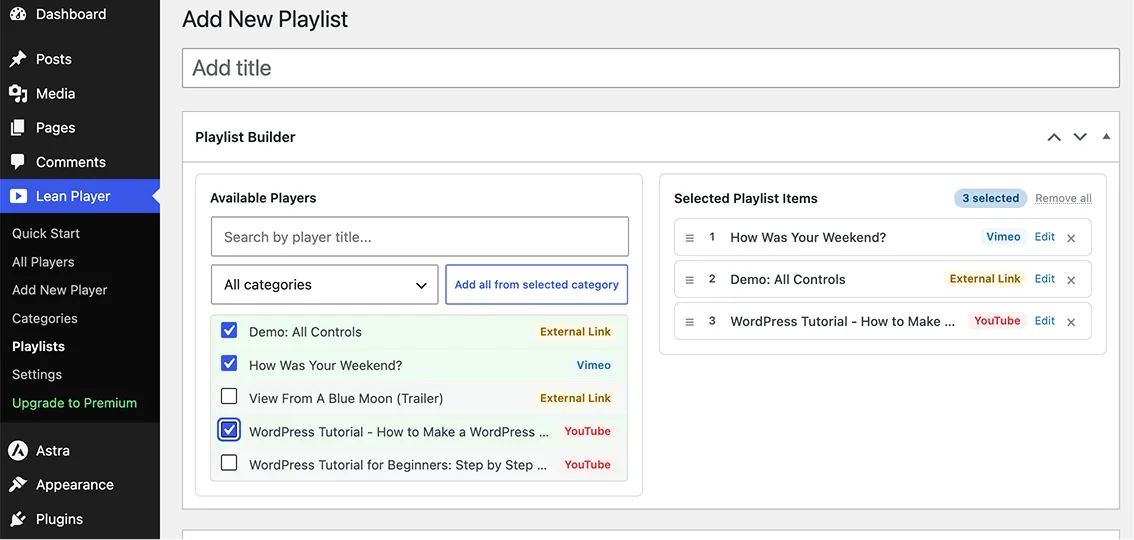
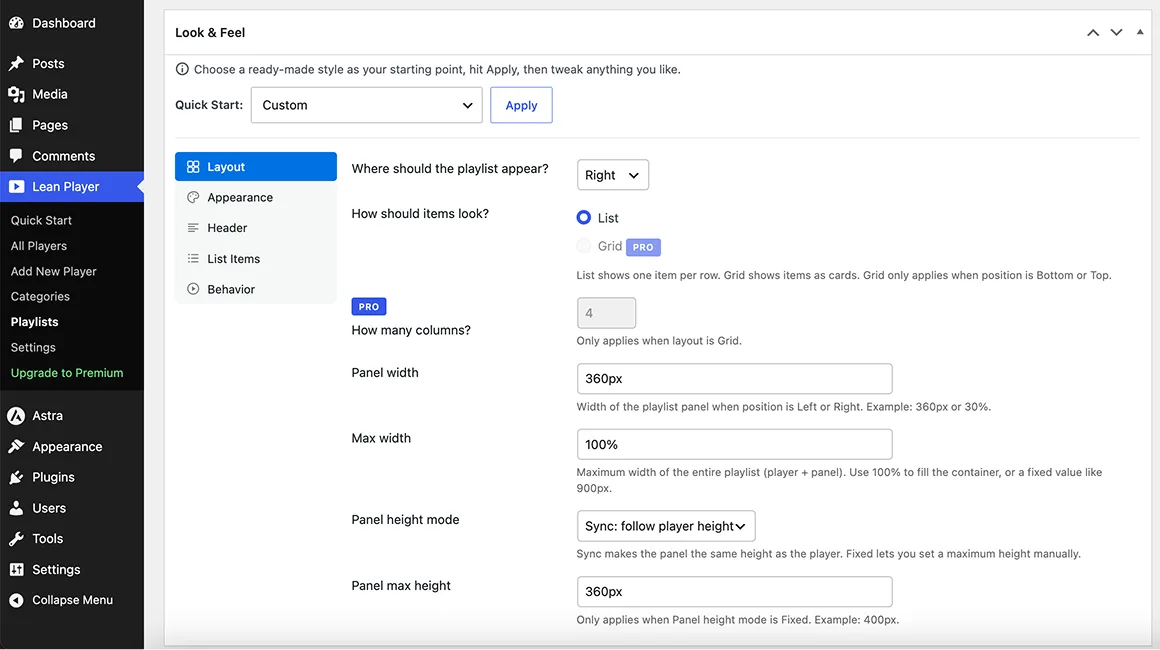
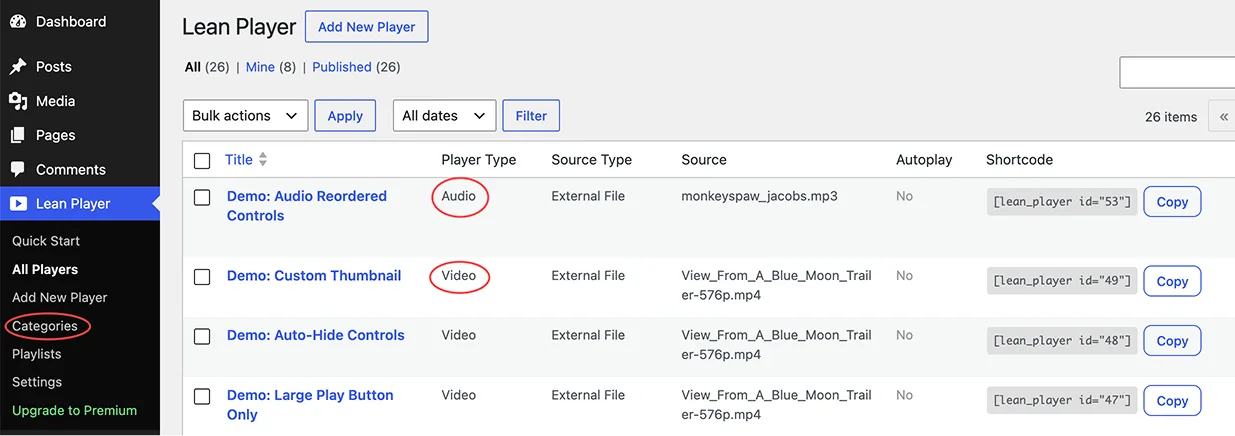
Go to Lean Player → Add New. Build a single audio or video player from YouTube, Vimeo, or your own uploaded files, then group several into a playlist. Customize and save.
Display Anywhere
Each player or playlist gives you a shortcode, [lean_player id=""] or [lean_playlist id=""]. Drop it into any page builder, block editor, or template on your site.
Everything You Need & More
A complete media player solution for WordPress
A video player that feels native to your site
Video Player
- YouTube, Vimeo & MP4/HTML5 sources, URL or upload.
- Custom preview thumbnails and any aspect ratio: 16:9, 4:3, 1:1, 9:16.
- Fullscreen & picture-in-picture out of the box.
- Autoplay, loop & start muted, per player or site-wide.
- Playback speed, seek time & keyboard shortcuts.
An audio player built for listening
Audio Player
- MP3, AAC, OGG, WAV & M4A files, upload or external URL/CDN.
- Cover art & title display for a polished look.
- Initial volume & speed control, plus seek tooltips.
- Fully responsive on every phone, tablet, and desktop.
Players, playlists, everything between
Playlists
- 4 panel positions, left, right, top, or bottom of the player.
- List or grid layout, thumbnails, duration, item numbers. Grid (2 to 6 cols)
- Auto-play next, binge through episodes, lessons, or sermons.
- Accent color & gradient panel for a branded look.
- Auto thumbnails pulled from YouTube & Vimeo.
- Large now-playing audio card with cover art.
Make it match your brand
Customization
- Accent color to match your brand, site-wide for free.
- Show, hide & reorder any control, play, progress, time, volume, captions, settings, fullscreen.
- Auto-hide controls during playback.
- Countdown or elapsed time display.
- 20+ styling options in the Elementor widgets.
[lean_player id="123"]Drops into any WordPress setup
Works With
- Elementor widgets for video, audio & playlist.
- Shortcodes for Gutenberg, Classic Editor & WPBakery.
- All themes, all devices, cross-browser compatible.
- Lightweight with zero layout shift for better Core Web Vitals.
Perfect for
Made for the way you publish.
Creators & bloggers
Embed YouTube and Vimeo with your own branding, not the platform's chrome. Great for blogs and personal portfolios.
Course creators & coaches
String lessons or workout videos into auto-playing playlists. A perfect fit for online schools and fitness coaches.
Podcasters & churches
Audio players with cover art, episode and sermon playlists, and timestamp links so listeners jump to any moment.
Designers & agencies
Client-ready Elementor widgets and shortcodes that match any brand.
Drag & Drop Simplicity with Elementor
Powerful widget with complete control
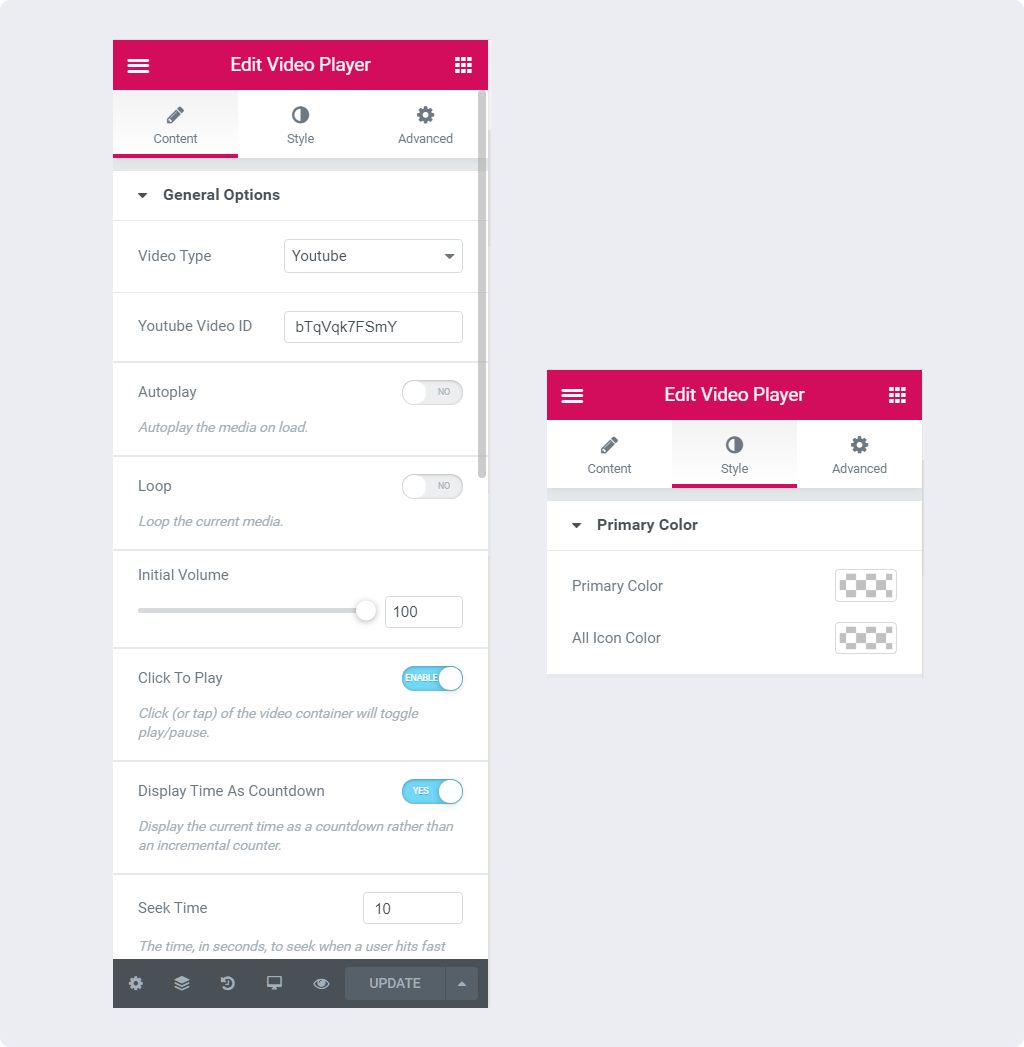
- ✓ Video Type Selector (YouTube/Vimeo/HTML5)
- ✓ Autoplay & Loop Toggles
- ✓ Color Customization Panel
- ✓ Control Visibility Options
- ✓ Initial Volume Control
- ✓ Click to Play Option
- ✓ Display Time as Countdown
- ✓ Seek Time Adjustment
- ✓ Hide Controls After Timeout
- ✓ Keyboard Shortcuts Options
- ✓ Control Labels Display
- ✓ Seek Tooltip Settings
- ✓ Fullscreen Toggle
- ✓ Initial Speed Selection
- ✓ And many more options...
Loved by WordPress Users
Real reviews from WordPress.org
"Easy to use, looks great, excellent support! This is by far the easiest and best looking audio player for not just Elementor, but WordPress. It just WORKS, and looks great doing it."
"Excellent plugin. Very useful plugin. I like that you can customize it a lot in elementor tabs. Congratulations! Thank you for this plugin."
"Amazing player"
Pricing
Upgrade to Pro. Own every detail.
Join 2,000+ users building beautiful media players.
14-day money-back guarantee, no questions asked.
Limited time offer🎁 Every Pro plan includes free developer time for your site: 1 to 2 hours on yearly, 3 to 5 hours on lifetime. How it works
Personal
- ✓ All Pro features
- ✓ Plugin updates while active
- ✓ Priority support
- 🎁 Bonus: 1 hr developer time ($30 value) What's this? →
Growth
- ✓ All Pro features
- ✓ Plugin updates while active
- ✓ Priority support
- 🎁 Bonus: 2 hrs developer time ($60 value) What's this? →
Your Purchase is Protected
We stand behind our product with guarantees and support

14-Day Money-Back Guarantee
We offer 14-day money-back guarantee. If you are not satisfied with our plugin, don't worry! Simply email us within 14 days for a full refund. No questions asked.
Regular Updates
Your purchase includes lifetime updates. We regularly release new features, improvements, and security patches to ensure you always have the best version.
Quick Support
Get help when you need it. We're ready to assist you with any questions or issues, ensuring you get the most out of the plugin.
100% Secure Payment
Pay securely through Visa, Mastercard, American Express, Discover, and PayPal via our trusted payment partner Freemius. Your payment is 100% secured and encrypted.
Unlock Advanced Features & Priority Support
See exactly what you get with each version. Compare features, customization options, and support levels to make the right choice.
| Feature | Free | Premium Recommended |
|---|---|---|
| CORE PLAYER & SOURCES | ||
| YouTube, Vimeo, HTML5 video & MP3 / audio | ||
| Shortcode, Elementor & Gutenberg | ||
| Custom poster / album art | ||
| Aspect ratio (16:9, 4:3, 1:1, 9:16) | ||
| Keyboard shortcuts (spacebar, arrow keys) | ||
| Brand accent color, site-wide | ||
| Brand accent color, per player | ||
| CONTROLS & PLAYBACK | ||
| Autoplay, mute, starting volume, loop & playback speed | ||
| Click to play / pause, fullscreen & picture-in-picture | ||
| Show / hide / reorder controls | ||
| Auto-hide controls during playback | ||
| Auto-pause other players | ||
| Time display (countdown / elapsed) & skip amount | ||
| PLAYLISTS | ||
| Playlist: 4 positions, light / dark skin, auto-play next | ||
| Grid layout (2 to 6 columns) | ||
| Accent color & gradient background | ||
| Auto thumbnails from YouTube & Vimeo | ||
| Large now-playing audio card | ||
| SUPPORT | ||
| Community support | ||
| Priority support | ||
| Free developer time for your site (1 to 5 hrs) | ||
| Download Free | Buy Now | |
Frequently Asked Questions
Quick answers about how Lean Player works.
Free developer time
What is the free developer time bonus?
Every Pro plan includes hands-on developer time for your website. On yearly billing you get 1 hour with Personal ($30 value) and 2 hours with Growth ($60 value). Lifetime licenses get far more: 3 hours with Personal ($90 value) and 5 hours with Growth ($150 value).
This is separate from plugin support. Plugin support is always included with every plan and never counts against your hours. The bonus hours are for work on your site beyond the plugin: fixing issues, improving speed, checking security, or setting things up.
What can I use the developer time for?
Common uses: a speed audit with a written action list, compressing oversized images, setting up caching, fixing a layout that broke after a theme or plugin update, tracking down a plugin conflict, repairing a contact form that stopped sending email, a basic security checkup with login hardening and two-factor setup, configuring automated backups, setting up Google Analytics 4, and small CSS tweaks so fonts and buttons match your brand.
That list is not exhaustive. If a task fits within your hours, we are happy to take it on, so just ask. Not included: hacked site cleanup, site migrations, and full custom development projects. If your request needs more time than your bonus covers, we will tell you up front and discuss the options with you, with no obligation.
How do I claim my developer time?
When does it expire, and can I split it into two requests?
Media and playback
What kind of video does it support?
What kind of audio does it support?
Can I create playlists?
Setup and compatibility
Does it work with Elementor?
Do I need Elementor to use it?
Is there a shortcode?
[lean_player id="123"] for players and [lean_playlist id="123"] for playlists. Each player's shortcode is shown in the admin list, ready to copy.Is it mobile responsive?
Customization and performance
Can I customize the colors?
Does it slow down my site?
Make every player yours.
Join 2,000+ WordPress users using Lean Video and Audio Player
🎁 Upgrade today and get up to 5 hours ($150 value) of expert developer time, free.